AgentUX
v3.1.0AI-powered Unreal Editor control. Give your AI the ability to control the editor and understand the engine internals, something no AI model can do out of the box.
What is AgentUX?
AgentUX is a UE 5.6+ editor plugin that turns the Unreal Editor into a JSON-RPC 2.0 API over WebSocket with 662 methods across 45 handler modules. UE 5.7 is recommended for the full feature set (577 methods on 5.6). There are three editions: Free, Pro, and Team Studio. Pro adds UE-GraphRAG, a knowledge base built straight from the UE source code that lets your AI verify exact property names instead of guessing, indexed across all 27 UE5 versions. Team Studio adds full C++ source plus shared studio infrastructure.
Together, your AI gets to control the editor and understand the engine internals. No model can do that out of the box. Both capabilities show up as MCP tools in Claude Code. Right now AgentUX is Claude Code only, which lets us focus on making the most of the Pro and Max plan context windows.
AgentUX runs as a local MCP server called by Claude Code. It is not a third-party API client. Your Claude Pro or Max subscription works normally; AgentUX uses your plan allotment through Claude Code, the same as any other MCP tool. If you hit hourly limits, you can switch to API-based queries and continue, or wait for the allotment to renew. The system shows which mode is active and tracks API costs when paying per-call.
Anything your AI does once, you can do again at zero token cost. Spawn actors, build Blueprint graphs, configure Movie Render Queue jobs, scan asset inventories across projects: the methods are pure JSON-RPC, so any successful AI session can be captured as a Python script, a CLI command, or a hook that runs the same operation forever without consulting a model.
Editor Control
662 JSON-RPC methods over WebSocket. Spawn actors, edit materials, control Sequencer, manipulate Blueprints, configure Movie Render Queue, scan and migrate assets across projects, and more. All operations are undo-able.
Required (core)Safety Guards
Two-layer crash prevention. Hardcoded guards block unsafe operations (saving during PIE, modifying dying actors). Every error includes actionable remediation for self-correction.
Built-in (always active)Engine Knowledge
Source-accurate engine knowledge base (Pro and Team Studio editions). Your AI verifies exact property names, function signatures, and class hierarchies before writing code. No hallucinated APIs. Pro indexes all 27 UE5 versions and includes an experience system that captures discoveries across sessions, classifies them by importance, and retrieves them automatically in future work.
Optional (recommended)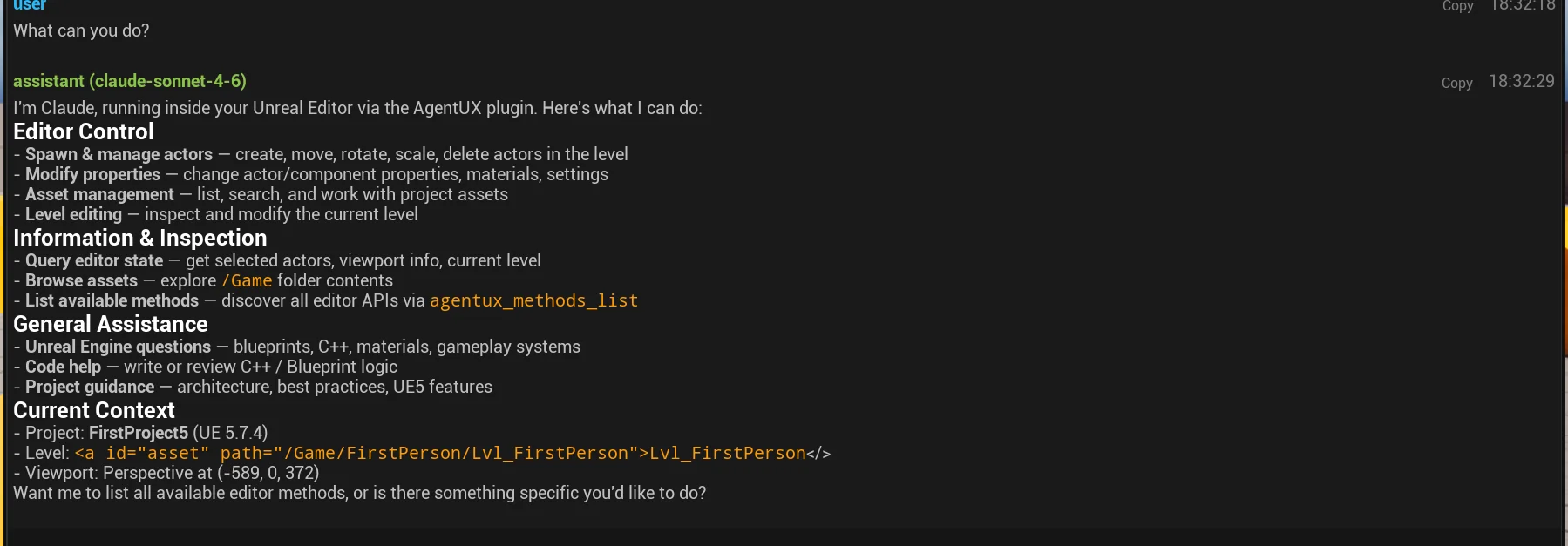
Handler Coverage
AgentUX organizes its 662 methods across 45 specialized handlers covering every major editor subsystem:
| Handler | Namespace | Methods |
|---|---|---|
| Blueprint | editor.blueprint | 95 |
| PCG | editor.pcg | 89 |
| Sequencer | editor.sequencer | 27 |
| Animation | editor.animation | 20 |
| Material | editor.material | 19 |
| Asset | editor.asset | 15 |
| Landscape | editor.landscape | 14 |
| Layers | editor.layers | 13 |
| + 37 more handlers (Inventory, Render, MetaSound, Foliage, Vegetation, Atmosphere, Water, MeshPaint, StateTree, NvRTX-exclusive, others) | 370 | |
See the API Reference for complete method documentation across all 45 handlers.
Get Started
Quick Start
From zero to AI-controlled editor in under 10 minutes.
Installation
Detailed setup for plugin, MCP bridge, and optional GraphRAG.
API Reference
Complete reference for all 662 JSON-RPC methods across 45 handlers.
GraphRAG Guide
16 million+ node knowledge base with 34 MCP tools for engine understanding.
Requirements
| Requirement | Version | Notes |
|---|---|---|
| Unreal Engine | 5.6+ (5.7 recommended) | 662 methods on 5.7, 577 on 5.6 |
| Python | 3.10+ | MCP bridge + GraphRAG |
| Neo4j Community | 5.x | Optional, only needed for Engine Knowledge |
| Java | 21+ | Optional, required by Neo4j |
Plugin overhead: ~3.4ms startup, zero background usage until something connects. It stays out of your way. See the Quick Start to get set up.